


3D Anatomy
4.3349.00 Reviews
App Specs
- Version
- 7.0
- Updated On
- License
- $2.99
- Downloads
- 100,000+
- Developer
- Education Mobile
- Categories
- Medical
- Platform
- Android, iOS
Screenshots
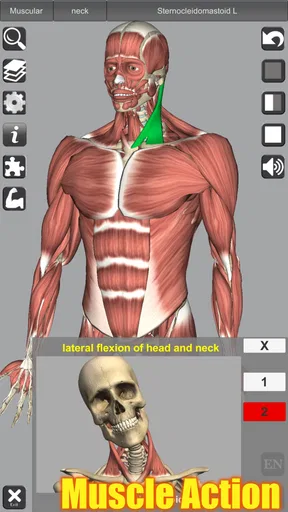
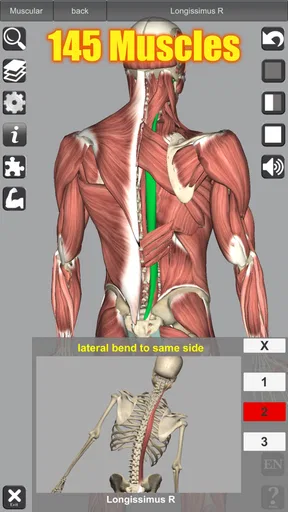
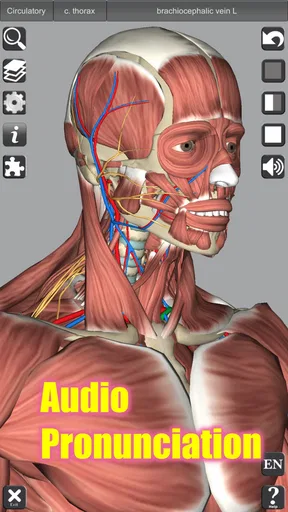
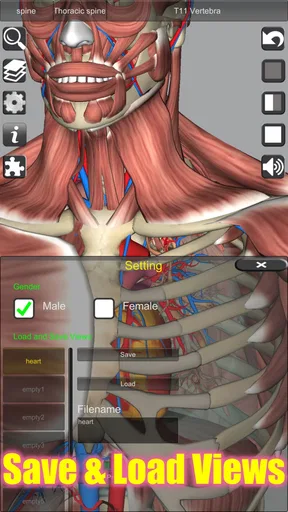
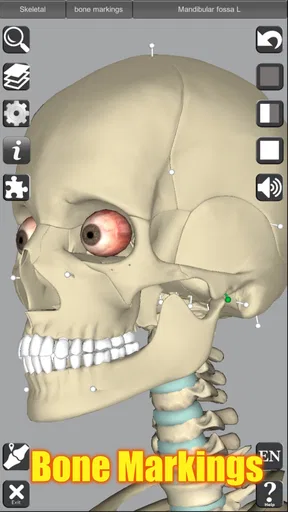
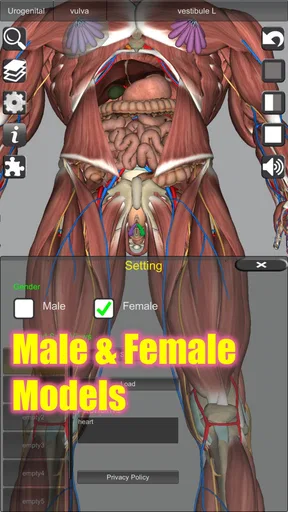
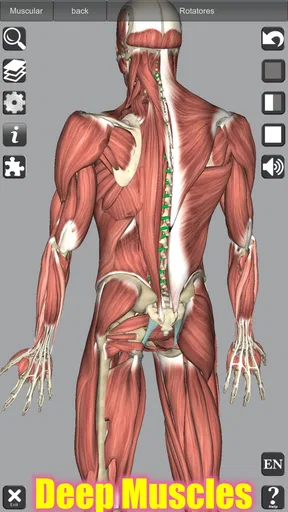
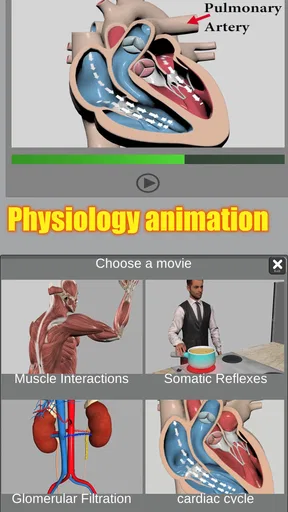
 Analysis by AppCompare
I approached 3D Anatomy as a study tool rather than a casual medical reference, and that distinction matters. This is a paid medical app from Education Mobile that focuses on viewing the human body in three dimensions, with muscle action included in the learning experience. It is aimed at people who want to understand how structures sit together and how muscles contribute to movement, not simply memorize isolated names from a flat diagram.
My first impression was that its value comes from being able to look at anatomy spatially. A textbook can explain the same subject very well, but turning pages does not always answer the practical question: “What is behind this structure?” A three-dimensional model gives that question a more direct answer. I found myself thinking less about reading a definition and more about tracing a structure through the body, which is useful when a front-facing illustration is not enough.
The app has been available since September 1, 2013, and the current version is 7.0. That history gives it a different feel from a brand-new anatomy product: it is an established learning reference that has continued to reach users over time. It has a 4.3 average from around three thousand ratings and more than one hundred thousand installs, so there is already a meaningful audience using it for this purpose. It is rated for Everyone, although the subject matter is naturally more suitable for students and curious adults than for very young children.
How the current 3D learning experience works
I use the current 3D learning experience as a way to answer focused questions about where muscles sit and how they relate to movement, rather than as a lesson that tells me what to study next. In this section, I’ll look at how that hands-on exploration can fit into a practical study routine and why a clear question makes each session more useful.
Learning by rotating instead of guessing
The central strength is the way a three-dimensional view changes the learning process. When I study a muscle in a conventional image, I can usually identify its general position, but I may still struggle to understand its depth or relationship to neighboring structures. With this app, rotating the body becomes part of the lesson. I can inspect an area from another angle and use that change in perspective to build a more reliable mental map.
That is especially helpful for regions where layers overlap. The shoulder, hip, back, and lower leg are not easy to understand from one static picture. A model that can be examined from different directions encourages a slower and more deliberate approach. Instead of accepting the first visible shape as the whole answer, I can check what lies underneath and how the parts connect visually.
I would not treat this as a replacement for a complete anatomy course. It works better as an interactive companion to class notes, a textbook, or an instructor’s explanation. The app can show relationships clearly, but understanding terminology, clinical context, variation between people, and examination technique still requires other resources.
Worth Reading Before You Choose

EA SPORTS FC Mobile 26 Is a Bigger Football Game, but It Takes Time

Flipboard Shows What News Apps Must Do Beyond the Feed

Switching to Android Auto Means Rethinking Your Driving Routine

Google Calendar Makes a Crowded Week Easier to Manage

Ludo King Makes the Most of the Minutes Between Plans

Baby Panda World Brings Quick Play to Modern Phones, but Its Game Library Feels Busy
Why the muscle-action focus is useful
The inclusion of muscle action makes the app more practical than a simple body atlas. Anatomy becomes easier to remember when I connect a muscle with what it does. Looking at a structure while considering its movement gives me a reason to remember its location instead of treating it as a name on a list.
I found this most useful when revising movement-related topics. For example, before reviewing a joint, I would first inspect the surrounding muscles, then think through the action associated with each one. That sequence is more meaningful than trying to memorize actions separately. It also helps reveal why neighboring muscles can be confused: they may sit close together while contributing to different movements.
A useful habit is to study from two directions. I first examine the muscle in a relaxed visual overview, then rotate the model and revisit the same area while thinking about the action. The second pass often exposes details that were easy to overlook when I was only trying to identify the structure. This is one of the app’s less obvious strengths: it supports active questioning, not just passive viewing.
Who will get the most from it
I think the best audience includes anatomy students, people beginning exercise or movement studies, and learners who understand diagrams more easily when they can manipulate them. It may also suit a healthcare learner who wants a quick visual refresher before returning to more detailed material.
The app can be useful outside formal study too. Someone interested in how the body moves may find it easier to understand a basic explanation after seeing the relevant muscles in context. However, I would be careful about using it to interpret pain, diagnose an injury, or decide on treatment. A visual anatomy tool explains structures; it does not assess an individual body or provide medical advice.
It is less suitable for someone who wants a broad medical encyclopedia, detailed pathology, or a guided course with quizzes and lesson plans. If your main goal is exam preparation with structured testing, another educational resource may be a better primary choice. This app makes the most sense when you want to explore anatomy directly and control the pace yourself.
A realistic study session
Imagine preparing for a class on the lower limb. I would begin with the overall shape of the leg, then focus on one region instead of trying to absorb the entire body at once. I could inspect the visible muscles, rotate the model to understand their depth, and connect each one with its action. After that, I would close the app and try to describe the arrangement from memory, reopening it only to check the parts I mixed up.
That workflow is more effective than leaving the model open while casually scrolling. The interactive view is most valuable when it is used to test a question: which structure is deeper, where does this muscle sit relative to the joint, or what movement should I associate with it? In my experience, the app rewards short, focused sessions more than unfocused browsing.
What version 7.0 means for users
I see version 7.0 as the release users encounter today, not as a promise of particular changes or a guarantee that the app suits every study need. This section considers what that means when deciding whether to rely on it: the best guide is how well its present anatomy and muscle-action focus supports your own learning routine.
An established product rather than a first experiment
Seeing version 7.0 in an app with a long release history suggests a product that has gone through several stages of maintenance and refinement. I would not read that number as proof that every modern expectation has been met, but it does indicate that the current release is not simply an untouched early build. Existing users can reasonably approach it as the continuing form of a familiar reference rather than a completely different application.
The important point is to separate what is visible now from what one might hope to see later. The confirmed current release is version 7.0, while future improvements remain expectations rather than promises. I would avoid choosing it because of imagined upcoming tools. Its case should rest on the present combination of interactive anatomy, muscle action, and a focused medical-learning purpose.
How the evolution affects returning users
For someone who has used an earlier release, the main benefit of staying with the app is continuity. A long-running anatomy reference can become part of a study routine: open it when a textbook illustration is unclear, inspect a region, and return to written notes with a better spatial understanding. That kind of repeat use is more important to me than a flashy first session.
New users should still spend a little time learning their own workflow. I would not immediately attempt to cover the full body. Start with a region you are already studying, use the model to resolve one or two specific questions, and then compare your understanding with your primary course material. This approach makes it easier to judge whether the app fits your learning style before relying on it regularly.
The paid price is another part of that decision. At $2.99, it is not a free trial-style download, so I would want a clear use case before buying it. For a student who expects to revisit anatomy often, the cost may be reasonable for an interactive visual reference. For someone who only wants a quick curiosity-driven look, free diagrams or educational videos may offer enough value.
Where it compares well with usual alternatives
Compared with a printed atlas, the app’s advantage is interaction. A book can provide beautifully organized reference pages, but it cannot let me turn the body in my hands. That makes the app particularly useful when I am confused by overlapping structures or need to understand a region from the side rather than the front.
Compared with short anatomy videos, it offers more control. A video decides the order and speed of the explanation, while a three-dimensional model lets me pause mentally on the exact area that causes difficulty. The trade-off is that a video may provide a clearer narrative, while this app expects me to supply the questions and structure my own study.
Compared with a full professional anatomy platform, its focused design may feel simpler. That can be an advantage for quick revision, but it may not satisfy advanced learners who need extensive labeling, clinical cases, formal assessments, or a large reference library. I would choose this app for spatial exploration and muscle-action review, not automatically for every anatomy task.
Practical limitations to keep in mind
The freedom to explore can also become a weakness. Without a planned question, it is easy to rotate the model for a while without retaining much. I recommend pairing each session with a concrete objective and writing down the structures that were difficult. That turns the interactive element into a study method instead of a visual distraction.
There is also a natural limit to what a model can communicate. Seeing a muscle’s position does not automatically explain how it behaves in every movement or how anatomy differs between individuals. I would use the app to form a spatial foundation, then verify important academic or health-related points in a trusted textbook, course, or qualified professional source.
The price may also divide users. A paid app can be worthwhile when it becomes a regular reference, but occasional users may prefer a free alternative. Since the app is designed for Everyone, it is broadly accessible as a product, yet the medical subject still demands responsible interpretation. A simple visual explanation should never be mistaken for personalized medical guidance.
Small techniques that improve the experience
One technique I found useful was separating recognition from recall. During the first pass, I identify a structure with the model available. During the second, I look away and try to explain where it sits and what action I associate with it before checking again. This exposes false confidence, especially in regions where several muscles appear close together.
Another helpful approach is to use movement as an organizing principle. Instead of studying a list of muscles in alphabetical order, I can begin with an action and examine the structures connected with it. That gives the session a purpose and makes the visual relationships easier to remember. It is a better use of the app than simply collecting names.
I also recommend comparing a three-dimensional view with a flat diagram immediately afterward. The app helps with depth and orientation, while the diagram may be better for rapid labeling and note-taking. Moving between the two reveals whether I truly understand the structure or only recognize it from one attractive angle.
What I would watch in future use
For continued users, I would watch how well version 7.0 fits changing study needs rather than assuming that a version number alone guarantees a complete solution. The most important question is whether the current visual and muscle-action approach remains useful as the learner moves from basic orientation toward more demanding coursework.
I would also pay attention to whether the app continues to work best as a focused reference or becomes part of a wider learning system. If you need structured revision, pair it with your own notes and active recall. If you need clinical depth, use it alongside specialist material. Its role is clearest when it handles the three-dimensional part of anatomy and other resources handle explanation, assessment, and application.
My overall view is positive, with a clear qualification: 3D Anatomy is most valuable when you already have a question to investigate. The interactive body model and muscle-action emphasis give it a practical reason to exist, and its established development history makes it feel like a serious reference rather than a novelty. At the same time, it will not replace a textbook, instructor, or medical professional.
I would recommend it to a learner who wants a compact visual aid for understanding depth, muscle placement, and movement. I would skip it if I only needed occasional definitions, extensive clinical content, or a complete course with built-in testing. For the right user, the $2.99 purchase can turn difficult flat diagrams into something easier to inspect and remember. The best results come from using it actively: choose a region, ask a specific question, rotate with a purpose, connect structure to action, and then verify what you learned elsewhere.
Pros
- Detailed 3D models help visualize bones
- muscles
- organs
- and body systems.
- Interactive rotation and zoom make it easy to examine anatomy from different angles.
- Useful reference for medical students
- educators
- and healthcare professionals.
- Clear labels support independent study and quick identification of structures.
- Works well for reviewing anatomy without needing physical models or textbooks.
Cons
- Some advanced features or content may require an in-app purchase.
- The large 3D models can use considerable storage and device resources.
- Beginners may find the amount of anatomical detail overwhelming.
- Accurate learning may still require guidance from a textbook or instructor.
- Older phones and tablets may experience slower loading or reduced performance.
FAQs for 3D Anatomy
What is 3D Anatomy, and what can I use it for?
3D Anatomy is an interactive educational app that lets you explore detailed three-dimensional models of the human body. You can rotate, zoom, and isolate anatomical structures to study bones, muscles, organs, vessels, and other systems. It is mainly useful for medical and nursing students, healthcare professionals, teachers, and anyone who wants a more visual way to learn basic human anatomy.
Is 3D Anatomy suitable for beginners or only for medical students?
The app can be useful for both beginners and advanced learners, although the amount of anatomical information may feel overwhelming at first. Beginners can start by exploring major body systems and individual organs, while medical students can use the models to review locations and relationships between structures. Some medical terminology and prior classroom knowledge may still be helpful for deeper study.
Does 3D Anatomy work without an internet connection?
Many of the app’s core models and educational features may be available after installation, but offline access can depend on the specific version, downloaded content, and device. It is a good idea to open the app once while connected to the internet and check whether the models you need load correctly. Some updates, extra content, advertisements, or online resources may still require a connection.
Are the anatomical models accurate enough for studying?
3D Anatomy provides a helpful visual representation of the human body and is suitable for general learning, revision, and understanding the position of anatomical structures. However, it should not be treated as a replacement for textbooks, lectures, laboratory work, or professional medical references. Users studying for exams should confirm important details with authoritative educational sources, since simplified models may not show every variation or clinical detail.
Is 3D Anatomy free to download, and are there in-app purchases?
The app’s availability, pricing, advertisements, and premium features can vary depending on the Android or iOS version and the country where it is downloaded. The free version may provide access to selected models or basic tools, while additional systems, detailed views, quizzes, or ad-free use could require payment. Check the store listing before downloading to review current costs and subscription conditions.


